
 |

|
| ActiveWin: Reviews | Active Network | New Reviews | Old Reviews | Interviews |Mailing List | Forums |
|
|
|
|
|
DirectX |
|
ActiveMac |
|
Downloads |
|
Forums |
|
Interviews |
|
News |
|
MS Games & Hardware |
|
Reviews |
|
Support Center |
|
Windows 2000 |
|
Windows Me |
|
Windows Server 2003 |
|
Windows Vista |
|
Windows XP |
|
|
|
|
|
|
|
News Centers |
|
Windows/Microsoft |
|
DVD |
|
Apple/Mac |
|
Xbox |
|
News Search |
|
|
|
|
|
|
|
ActiveXBox |
|
Xbox News |
|
Box Shots |
|
Inside The Xbox |
|
Released Titles |
|
Announced Titles |
|
Screenshots/Videos |
|
History Of The Xbox |
|
Links |
|
Forum |
|
FAQ |
|
|
|
|
|
|
|
Windows XP |
|
Introduction |
|
System Requirements |
|
Home Features |
|
Pro Features |
|
Upgrade Checklists |
|
History |
|
FAQ |
|
Links |
|
TopTechTips |
|
|
|
|
|
|
|
FAQ's |
|
Windows Vista |
|
Windows 98/98 SE |
|
Windows 2000 |
|
Windows Me |
|
Windows Server 2002 |
|
Windows "Whistler" XP |
|
Windows CE |
|
Internet Explorer 6 |
|
Internet Explorer 5 |
|
Xbox |
|
Xbox 360 |
|
DirectX |
|
DVD's |
|
|
|
|
|
|
|
TopTechTips |
|
Registry Tips |
|
Windows 95/98 |
|
Windows 2000 |
|
Internet Explorer 5 |
|
Program Tips |
|
Easter Eggs |
|
Hardware |
|
DVD |
|
|
|
|
|
|
|
ActiveDVD |
|
DVD News |
|
DVD Forum |
|
Glossary |
|
Tips |
|
Articles |
|
Reviews |
|
News Archive |
|
Links |
|
Drivers |
|
|
|
|
|
|
|
Latest Reviews |
|
Xbox/Games |
|
Fallout 3 |
|
|
|
Applications |
|
Windows Server 2008 R2 |
|
Windows 7 |
|
|
|
Hardware |
|
iPod Touch 32GB |
|
|
|
|
|
|
|
Latest Interviews |
|
Steve Ballmer |
|
Jim Allchin |
|
|
|
|
|
|
|
Site News/Info |
|
About This Site |
|
Affiliates |
|
Contact Us |
|
Default Home Page |
|
Link To Us |
|
Links |
|
News Archive |
|
Site Search |
|
Awards |
|
|
|
|
|
|
|
Credits |



 |
Product:
Custom Photo
Company: Corel
Website: http://www.corel.com
Estimated Street Price: $29.99
Review By: Julien JAY
Introduction
|
Table Of Contents |
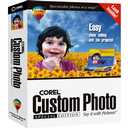
The spread of digital photos is unprecedented and will mark the computer era forever as well as the photography world. If professional photographs entered in a kind of stagnation during the past few years, the release of digital cameras has incredibly increased their sales activities. Due to digital cameras, scanners and other capturing devices, acquiring pictures and touching them up in order to publish them on the Web, on prints, etc. has never been so easy but always requires a specially dedicated software to do so. Corel, the well known and famous Canadian graphic software maker, has recently released a new affordable -all public- photo touching up tool simply named Corel Custom Photo that enables anyone to enjoy the benefits of its digital camera or scanner. As this is Corel software you�re sure to have a high quality software that will fit all your needs and even more as we�ll see in this review.
Features list:
- Corel
Photo House� 5 � Give your photos dramatic impact with easy-to-use
photo-editing tools. Corel Photo House lets you quickly touch up or
enhance damaged pictures. Plus, over 30 special effects bring out your
true creativity!
- Corel�
Project Designer � Makes it easy to share your memories with your
family and friends. Just choose a sample layout, add your images, and
then have fun personalizing your creations.
- Over
10,000 images
- 1,000
samples
- Add
cool effects
- Create
collages
- Repair
red eye
- Restore
old photos
- Create fun projects
- Put Photos on the Web
Setup
As usual with Corel products the setup program is a marvel of simplicity and everyone from child to grandma will be able to install it fingers in the nose! Insert the first CD (the software comes on 2 CDs), open your ears and listen to the �in the wind music� while clicking the setup Corel Custom Photo button. The Setup begins and you�ll be guided step by step by a smart wizard to install Custom Photo to best fits your needs. Setup is really fast and did its job in 2 minutes on our computer. At the end of the setup users are prompted to register their software in order to have free technical support and things like that.
| Features --> |


