
 |

|
| ActiveWin: Reviews | Active Network | New Reviews | Old Reviews | Interviews |Mailing List | Forums |
|
|
|
|
|
DirectX |
|
ActiveMac |
|
Downloads |
|
Forums |
|
Interviews |
|
News |
|
MS Games & Hardware |
|
Reviews |
|
Support Center |
|
Windows 2000 |
|
Windows Me |
|
Windows Server 2003 |
|
Windows Vista |
|
Windows XP |
|
|
|
|
|
|
|
News Centers |
|
Windows/Microsoft |
|
DVD |
|
Apple/Mac |
|
Xbox |
|
News Search |
|
|
|
|
|
|
|
ActiveXBox |
|
Xbox News |
|
Box Shots |
|
Inside The Xbox |
|
Released Titles |
|
Announced Titles |
|
Screenshots/Videos |
|
History Of The Xbox |
|
Links |
|
Forum |
|
FAQ |
|
|
|
|
|
|
|
Windows XP |
|
Introduction |
|
System Requirements |
|
Home Features |
|
Pro Features |
|
Upgrade Checklists |
|
History |
|
FAQ |
|
Links |
|
TopTechTips |
|
|
|
|
|
|
|
FAQ's |
|
Windows Vista |
|
Windows 98/98 SE |
|
Windows 2000 |
|
Windows Me |
|
Windows Server 2002 |
|
Windows "Whistler" XP |
|
Windows CE |
|
Internet Explorer 6 |
|
Internet Explorer 5 |
|
Xbox |
|
Xbox 360 |
|
DirectX |
|
DVD's |
|
|
|
|
|
|
|
TopTechTips |
|
Registry Tips |
|
Windows 95/98 |
|
Windows 2000 |
|
Internet Explorer 5 |
|
Program Tips |
|
Easter Eggs |
|
Hardware |
|
DVD |
|
|
|
|
|
|
|
ActiveDVD |
|
DVD News |
|
DVD Forum |
|
Glossary |
|
Tips |
|
Articles |
|
Reviews |
|
News Archive |
|
Links |
|
Drivers |
|
|
|
|
|
|
|
Latest Reviews |
|
Xbox/Games |
|
Fallout 3 |
|
|
|
Applications |
|
Windows Server 2008 R2 |
|
Windows 7 |
|
|
|
Hardware |
|
iPod Touch 32GB |
|
|
|
|
|
|
|
Latest Interviews |
|
Steve Ballmer |
|
Jim Allchin |
|
|
|
|
|
|
|
Site News/Info |
|
About This Site |
|
Affiliates |
|
Contact Us |
|
Default Home Page |
|
Link To Us |
|
Links |
|
News Archive |
|
Site Search |
|
Awards |
|
|
|
|
|
|
|
Credits |



|
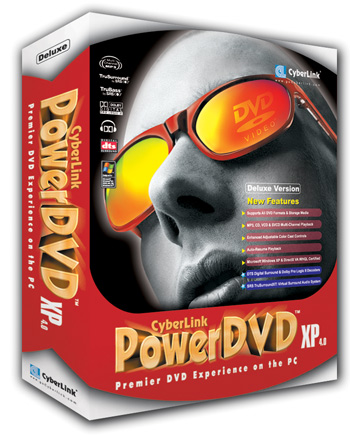
Product: PowerDVD XP 4.0 Deluxe |
Introduction
| Table Of Contents |
| 1:
Introduction 2: Audio Features 3: Features 4: Conclusion |
 The
DVD format is now unavoidable when it comes to watching videos; it would be
unthinkable to turn back to the old school VHS format. With improved video
and audio quality and many bonuses included on blockbuster DVDs, this format
has become a new standard. The Taiwanese software developer, Cyberlink, has
quickly understood this and has proposed to us for several years the well
known product PowerDVD. PowerDVD is software that playbacks DVDs on
computers that are equipped with a DVD-Rom drive. With today�s powerful
computers, hardware DVD decoders are totally useless and software like
PowerDVD is definitely the ideal solution to watch DVDs on your PC. So we
will find out if the new version
The
DVD format is now unavoidable when it comes to watching videos; it would be
unthinkable to turn back to the old school VHS format. With improved video
and audio quality and many bonuses included on blockbuster DVDs, this format
has become a new standard. The Taiwanese software developer, Cyberlink, has
quickly understood this and has proposed to us for several years the well
known product PowerDVD. PowerDVD is software that playbacks DVDs on
computers that are equipped with a DVD-Rom drive. With today�s powerful
computers, hardware DVD decoders are totally useless and software like
PowerDVD is definitely the ideal solution to watch DVDs on your PC. So we
will find out if the new version
Setup
Installation, like other Windows software, is a breeze. Put the CD in your drive, type your serial key and here we go. The setup automatically copies the necessary files on your hard disk as well as software decoding files for mpeg video and dd/dts audio. After rebooting the computer, the setup automatically configures the dma mode for your drives (and obviously the DVD drive). I did not encounter any problems, however you may have some problems with old drives; in that case, you will just have to configure the dma mode with Windows if it has not already done.
DVD Technology Reminder
 For
those of you who forget, the advantages of the DVD (Digital Versatile
Disc) format are numerous: first on a small
For
those of you who forget, the advantages of the DVD (Digital Versatile
Disc) format are numerous: first on a small
Another observation is the fact that films aren�t yet originally digitally mastered so some DVDs may still present dust points like on VHS tapes since the master is still an analogical one but quality lost is practically non-existent. The other advantage, in terms of imaging quality, of the DVD over the VHS tape is that the quality of the image doesn�t decrease while you play it and doesn�t fear dust, fingerprints, wear, magnetic damages, etc. If VHS tapes, due to their analogical format, feature a random image quality that depends on many factors (is the playing head of the VCR clean, how many playing heads the VCR have, is the tape not too old, etc?) with a DVD you�re sure to always have a clear and bright image on every player of the world even ten years after you originally purchased the disc. This is partly why the image is so good on DVDs and that�s also why more & more people turn to DVDs even if they aren�t as flexible as VHS tapes since you can�t record films on them.
One
thing to consider is that the
DVD-Forum has divided the world in


